Buy tokenized stocks with any token you hold
Tokenized stocks are tokens on Solana that follow the price of a share or a fund. In Morsel they sit in DeFi › Stocks, next to Perps, and you buy them with the wallet's own swap. What is new is how you pay: with any token you hold, not only USDC.
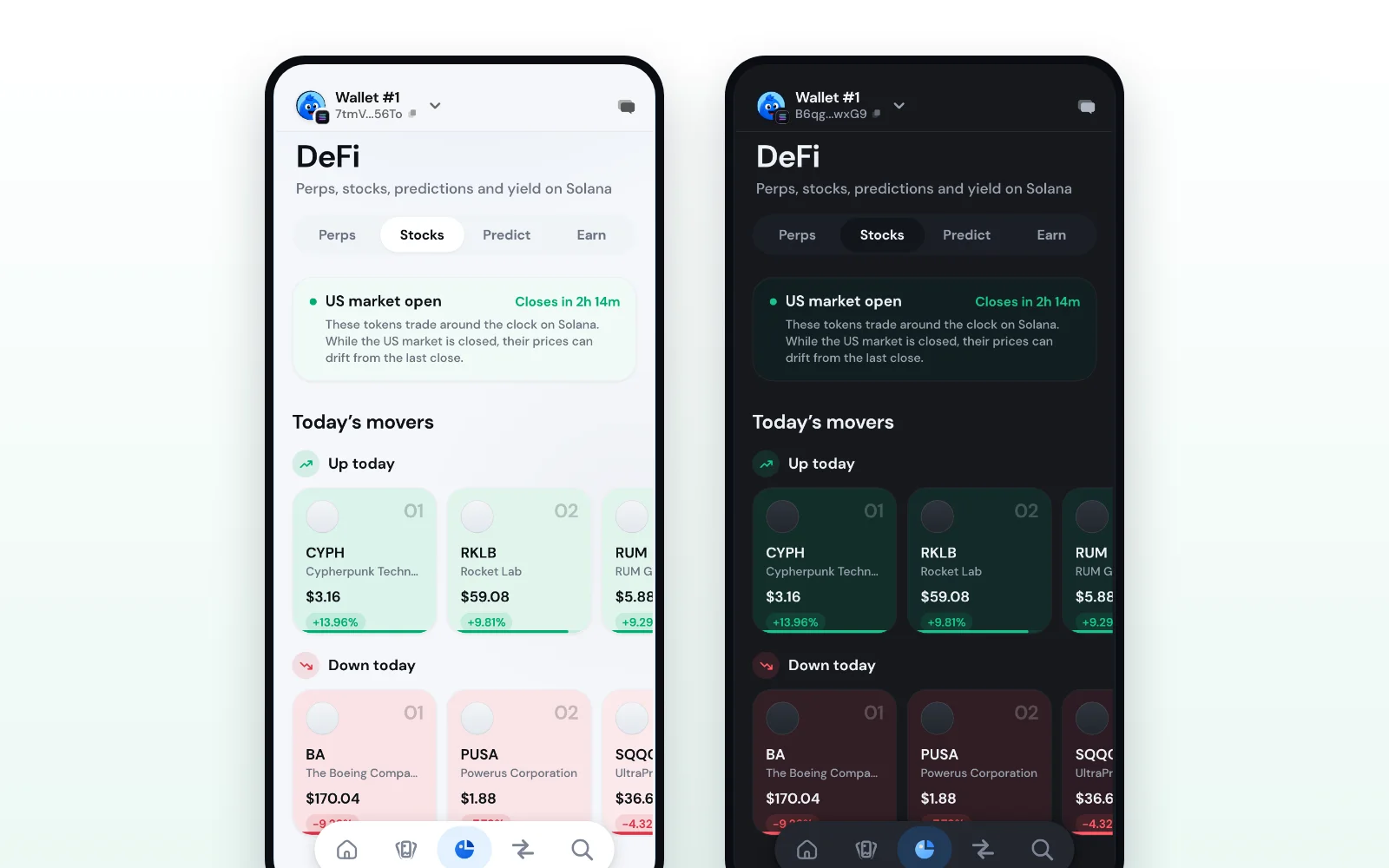
What you are buying
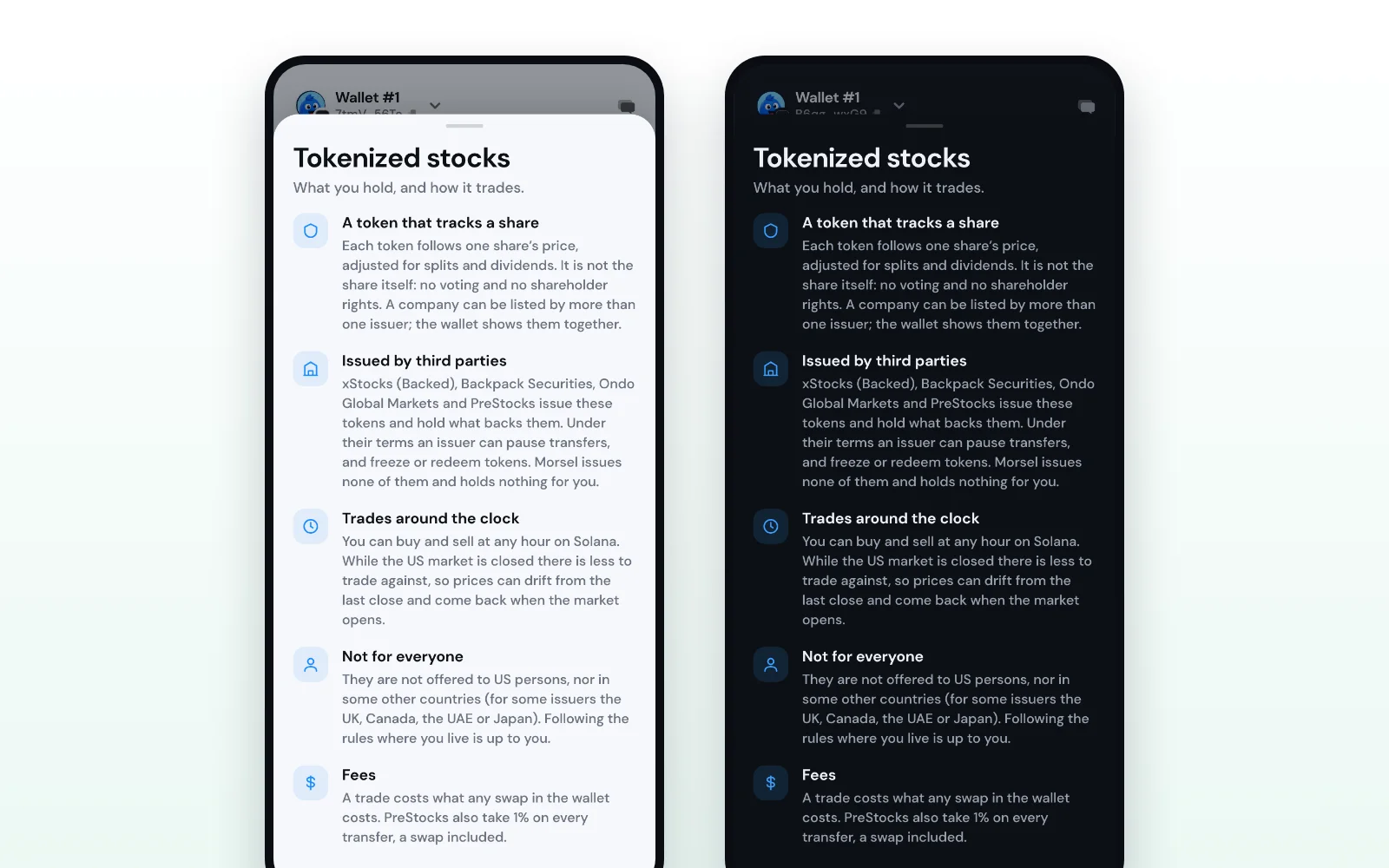
Each token follows one share's price, adjusted for splits and dividends. It is not the share itself: there is no voting and no shareholder rights. Four issuers make the tokens Morsel lists, and hold what backs them:
- xStocks, by Backed
- Backpack, by Backpack Securities
- Ondo, by Ondo Global Markets
- PreStocks, for pre-IPO companies
A company listed by more than one issuer shows as one row, so Tesla is Tesla whether it trades as TSLAx, Backpack's TSLA or Ondo's. Its page tells you which issuer's token it is and how many shares one token is worth. Under their own terms an issuer can pause transfers, and freeze or redeem tokens. Morsel issues none of them and holds nothing for you.
Tokenized stocks are not offered to US persons, and some issuers also exclude other countries, such as the UK, Canada, the UAE or Japan. Before your first trade, Morsel shows a short explainer and asks you to confirm that you are not a US person and that these tokens are allowed where you live.
Pay with whatever you hold
Most stock tokens trade against USDC. If you hold SOL, BONK or anything else, you used to need a swap to USDC first. Now Morsel handles it:
- When you tap Trade on a stock, the pay side starts on a holding that can cover the trade, and the picker lists your tokens by value.
- Morsel asks for two quotes at once: the pair's own best route, and a route through USDC. Both are built as one transaction, signed once.
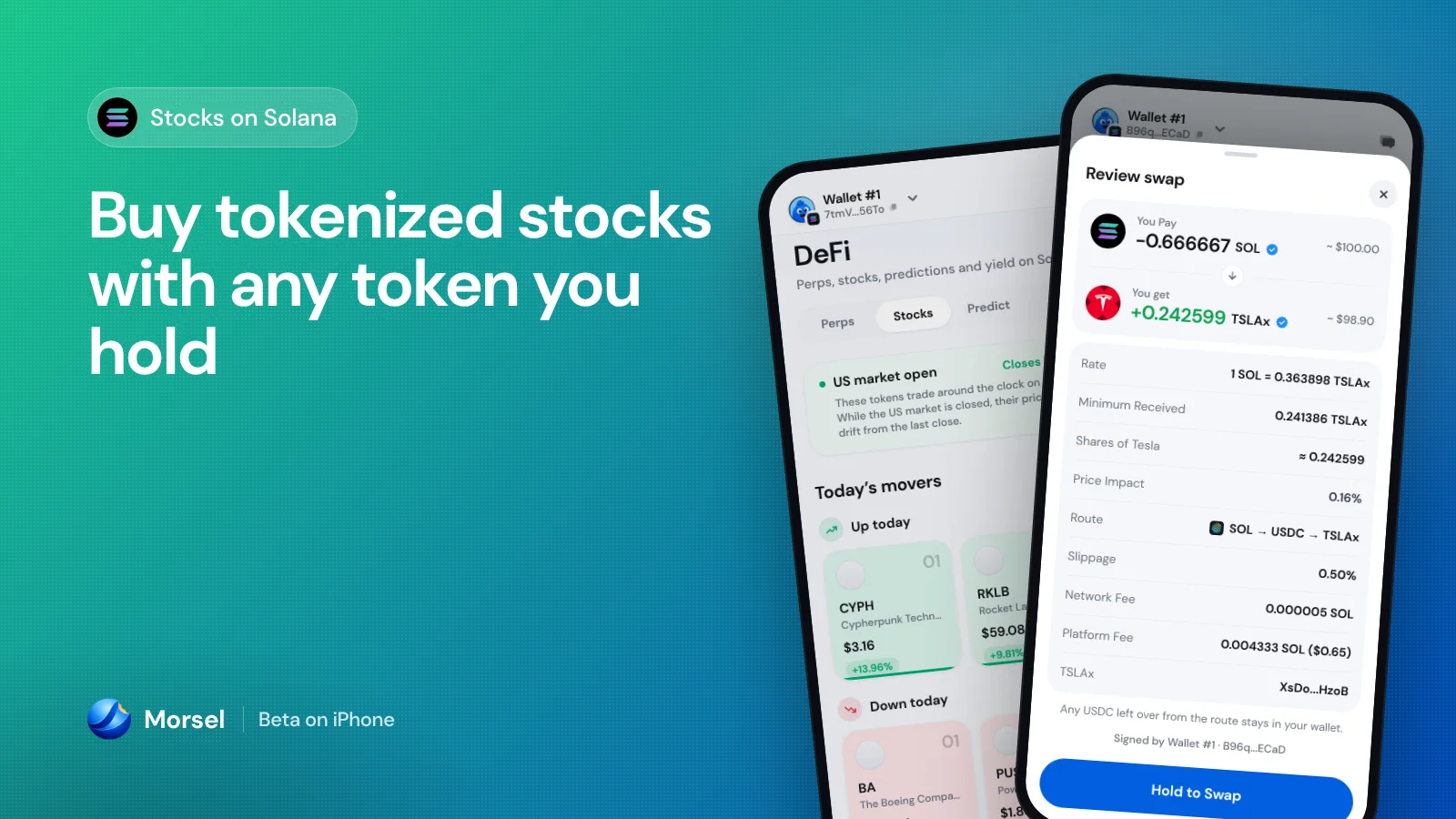
- It picks the route that gets you more of the stock, and shows it in one line under the form, for example "≈ 0.24 shares · SOL → USDC → TSLAx".
- Any USDC left over from the route stays in your wallet.
In the rare case a route cannot fit in one transaction, Morsel falls back to two swaps behind a single hold, and the review says so. If the second swap does not go through, you keep the USDC from the first, and Morsel offers to buy again with it in one tap.
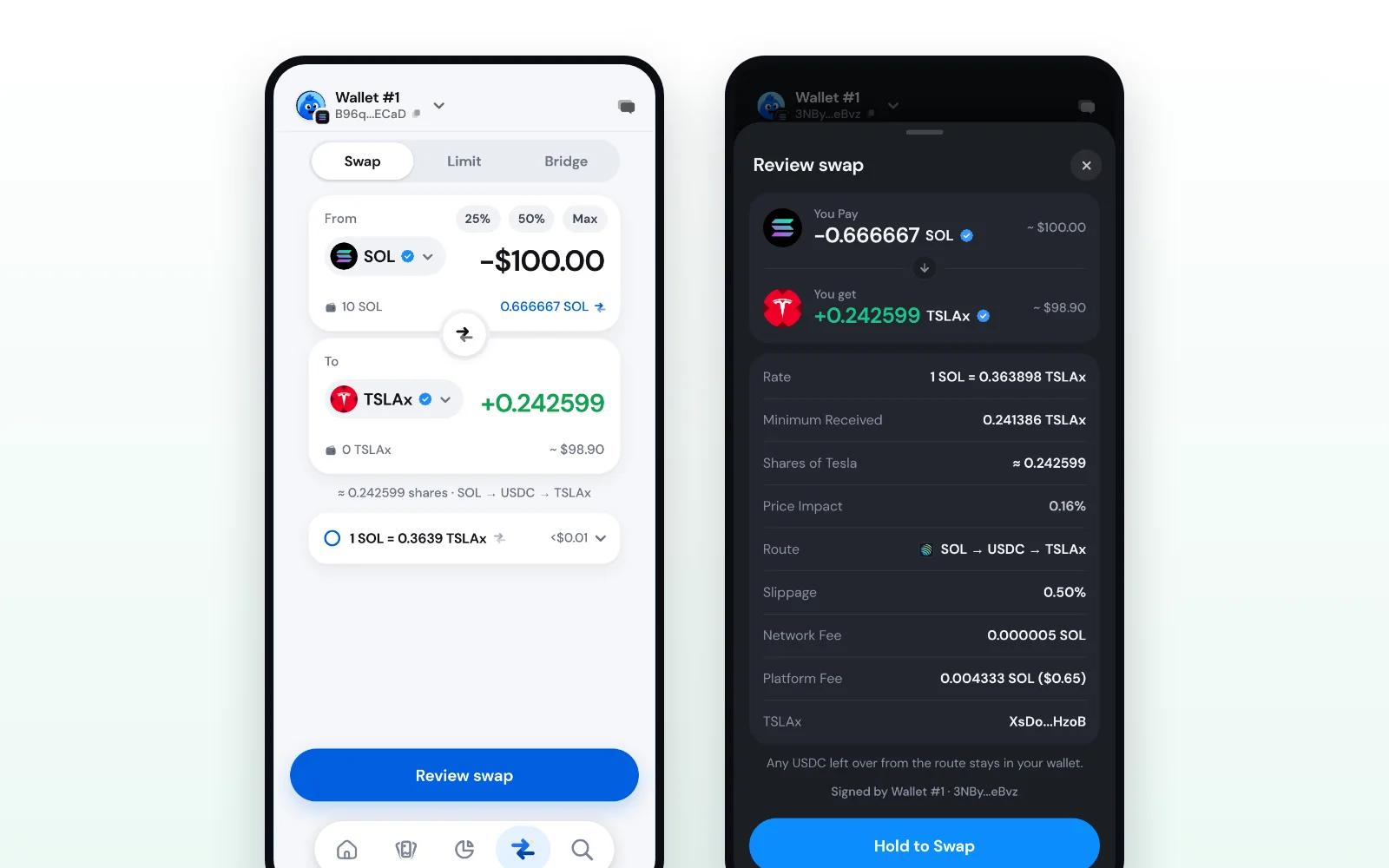
How to buy a stock with SOL
- 1. Open DeFi and tap Stocks.
- 2. Search for a company, for example Tesla, or pick one from Today's movers.
- 3. Tap Trade. The first time, read the short explainer, tick the box and Continue.
- 4. Swap opens on the stock. Leave SOL as the pay side, or pick any other token you hold.
- 5. Type an amount in the token or in dollars. The line under the form shows the shares and the route.
- 6. Review: the route, the shares of the company, the network and platform fees and the minimum you receive. Hold to swap.
Selling works the same way in reverse, into any token the swap can route to.
Fees, said plainly
A stock trade costs what any swap in Morsel costs, and every fee is on the review before you hold. PreStocks tokens also carry a 1% issuer fee on every transfer, a swap included; Morsel shows it on the review and counts it in the shares you get.
Market hours
The tokens trade around the clock on Solana, but the shares they follow do not. The top of the Stocks screen tells you where the US market is right now: "US market open · closes in 2h 14m", pre-market, after hours, or "US market closed · opens Mon 9:30 AM ET", holidays and early closes included. While the US market is closed there is less to trade against, so prices can drift from the last close and come back when the market opens.
A daily Stocks notification
New with this update: a Stocks notification, once a day after the US market closes, with the stocks that moved 5% or more. Tap it and DeFi › Stocks opens on Solana.
It is switched on for you the first time you open DeFi › Stocks, unless you have already chosen, and it is on by default for a wallet that holds a stock token. You can switch it off any time in Settings › Notifications, under Markets.
Moves in the stocks you hold
"Your tokens' big moves" now covers stocks too. If a stock you hold moves 7% or more while the US market is open, you get a notification, and a tap opens that stock's page. Other tokens keep their own rule: a move of 15% or more in a day.
Where it works
Tokenized stocks are on Solana, in the phone app. The browser extension does not offer them: a stock token you hold shows there as the token it is.
Stocks are in the Morsel beta on iPhone through TestFlight. Open DeFi › Stocks and see where the market is today.